Google Maps may not work reliably in China if you’re connected to local networks or Wi-Fi due to regional restrictions. Here are solutions:
International Roaming
-
Purchase an international roaming plan from your mobile carrier before arriving.
-
Roaming data routes through your home country’s servers, allowing access to Google Maps. Check costs in advance—roaming fees can be high.
Apple Maps
-
Works in China by connecting to local servers once you arrive.
Amap (高德地图)
-
A popular local navigation app with English-language support.
-
Works abroad for trip planning (e.g., saving locations), but full features like real-time traffic updates require a Chinese SIM card after arrival.
-
To install, look for the following app in the app store.
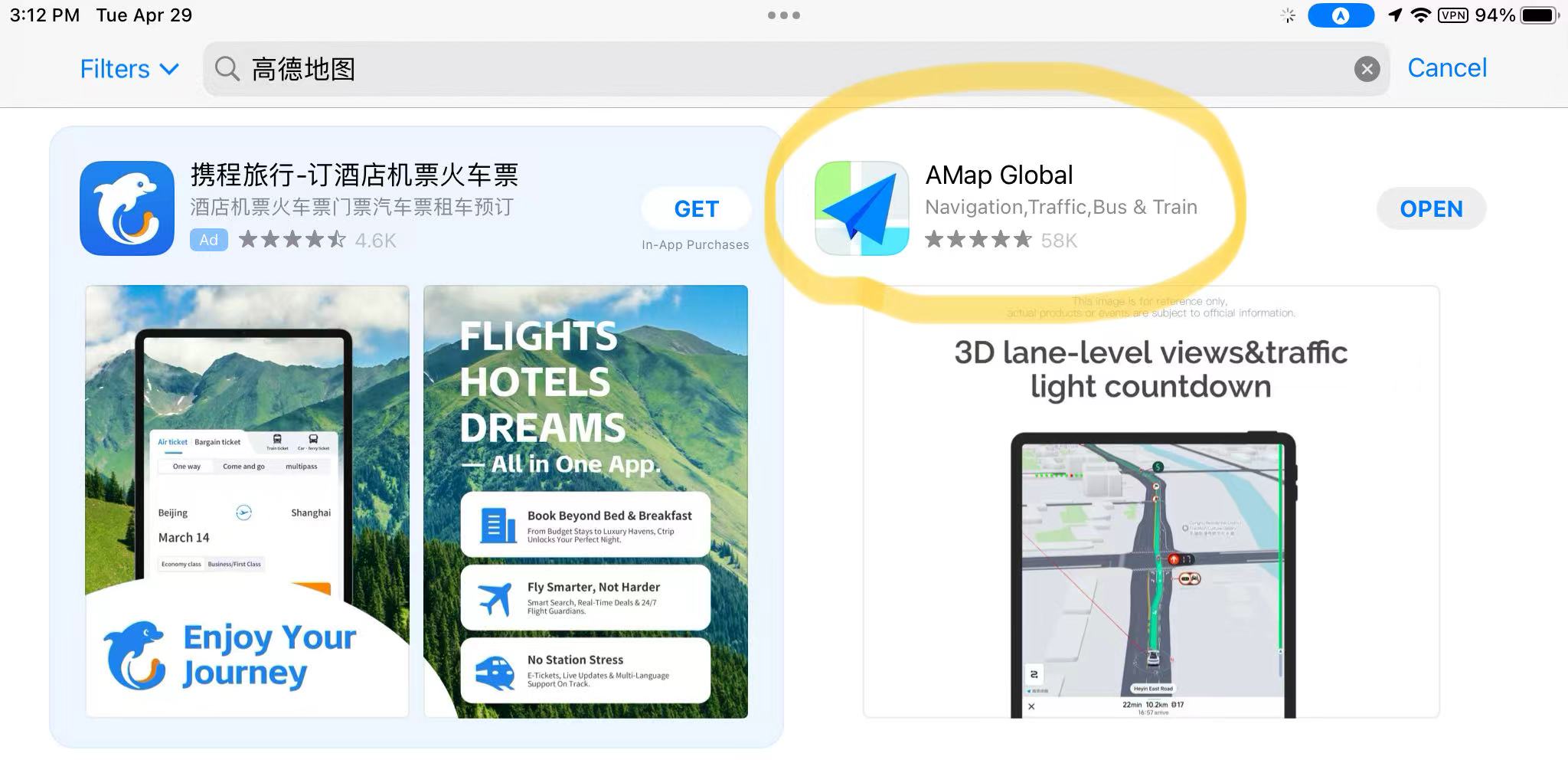
-
After download, select Language: English.
-
Enter your phone number to receive a verification code.